You might also like:


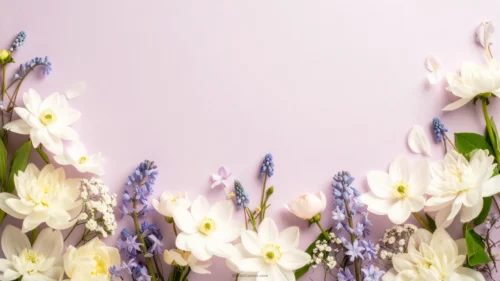
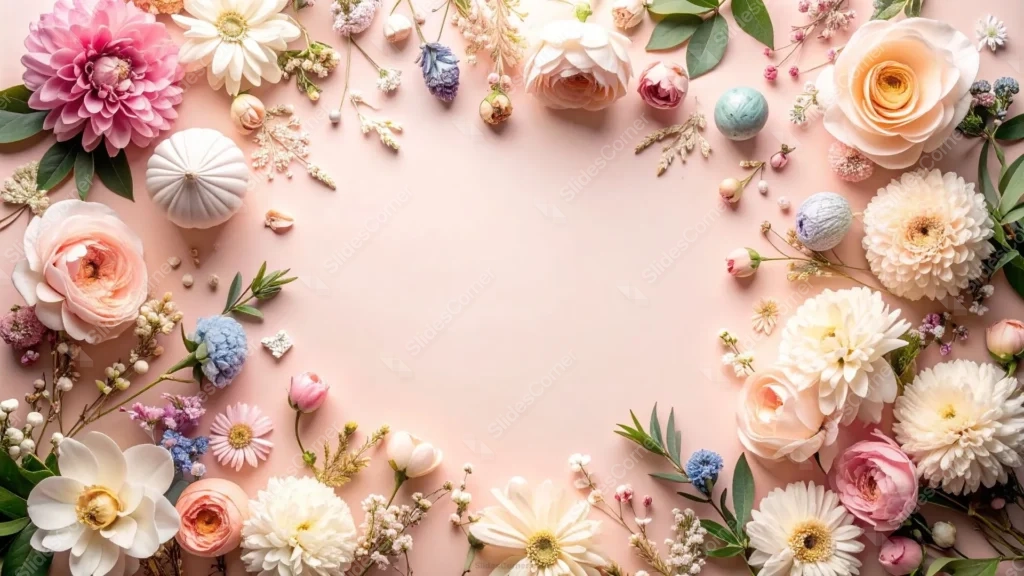
This floral frame background for Google Slides is built from real, mixed flowers rather than a repeated pattern: a pink dahlia, blush garden roses, white daisies, peach ranunculus, and gerbera all wrap around an open blush pink center.
A few small surprises sit tucked among the blooms: a soft mint yarn pom-pom, a lavender one, and a tiny white ceramic pumpkin, the kind of styled, slightly playful detail a real photo shoot would include.
What This Floral Frame Background For Google Slides Looks Like
Close to a dozen flower varieties appear around the ring: dahlias, roses, daisies, ranunculus, gerbera, hydrangea, narcissus, and chrysanthemums, all kept inside one soft palette of pink, peach, cream, and white.
Sprigs of dusty blue statice and a little eucalyptus greenery break up what would otherwise be an all-pastel wall of petals, adding just enough contrast to keep individual flowers readable.
The center stays a plain, warm blush pink, wide enough for a full title or a short paragraph, with the flowers thinning out gradually rather than stopping in a hard ring.
Where This Floral Frame Background Fits
It’s built for wedding and bridal shower decks, baby shower invitations, Mother’s Day presentations, spring event programs, and beauty or lifestyle brand pitches that want a romantic, hand-styled feel.
The open blush center reads well behind a save-the-date, a menu, or a short quote, since the surrounding flowers already carry all the visual richness the slide needs.
Design Choices Behind the Flower Mix and Palette
I mixed nearly a dozen flower types instead of repeating one, since variety in shape, roses next to daisies next to ranunculus, reads as an abundant, gathered bouquet rather than a stamped pattern.
Keeping the base a warm blush instead of plain white was deliberate. White flowers on white background lose their edges; on blush pink, every petal, even the palest ones, stays clearly defined.
The pom-poms and the little ceramic pumpkin are there to keep the wreath from feeling too polished. A perfectly matched flower ring can look artificial; a couple of unexpected, handmade objects make it feel like a real styled table.
How to Apply It in Google Slides
- Open Slide > Change background.
- Click Choose image and upload the downloaded file.
- Select Done. Repeat on each slide you want to match, since Slides applies backgrounds one at a time.
How to Apply It in PowerPoint
- Open your slide, go to Design > Format Background.
- Choose Picture or texture fill, then Insert from file and select the downloaded image.
- Click Apply to All for the whole deck, or leave it on a single title or invitation slide.
Legibility Tip for This Floral Frame Background
Keep text in the open blush center, clear of the flowers. Dark rose, charcoal, or deep green type all read well against the pale pink; avoid very pale or white text, since the background itself already sits light.
Frequently Asked Questions
Is this floral frame background free?
Yes, it’s a free download with no watermark and no account required.
Does it work in PowerPoint too?
Yes. It’s a standard image file, so it uploads and applies the same way it does in Google Slides.
What resolution is included?
1920×1080 px, HD 16:9, suited to slides and to a desktop or phone wallpaper.
Can I use it as a wallpaper?
Yes, the 16:9 ratio matches most laptop and desktop screens.
Features at a Glance
- HD 1920×1080 resolution, 16:9 ratio
- Free download, no watermark
- Nearly a dozen real flower varieties in one pastel palette
- Playful pom-pom and ceramic pumpkin details tucked into the wreath
- Wide open blush pink center built for text
- Works as a Google Slides background, PowerPoint background, or wallpaper
Specs
- 1920 x 1080 px · 16:9 widescreen
- JPG, high quality, no compression artefacts
- PowerPoint · Google Slides · Keynote · Canva
- No watermark · no sign-up
- Free for personal and commercial use
You can use this Romantic Pastel Flower Wreath Background for Wedding Presentations as a Wallpaper or use it as a background for slides.
Looking for something different? Browse all our free PPT Backgrounds, or see how to set a background in PowerPoint and Google Slides.