





Purple Floral Background For PowerPoint With Close-Up Lavender Lilies
Free purple floral background for PowerPoint with close-up illustrated lavender lilies.
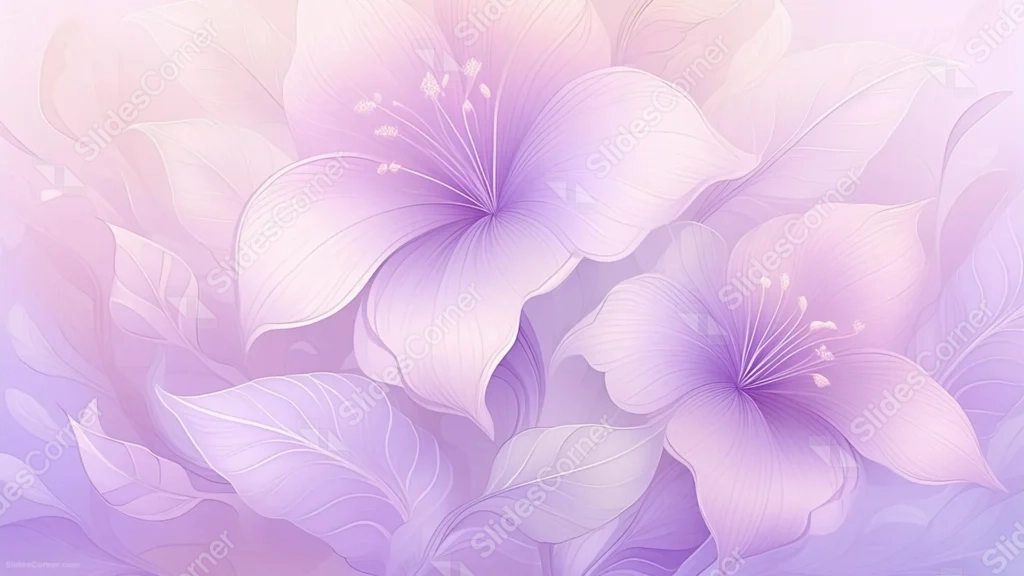
This purple floral background for PowerPoint zooms in close on two illustrated lilies, their petals rendered in fine, hand-drawn veins across a soft purple-to-cream gradient.
Long, delicate stamens reach out from each flower’s center, and broad lavender leaves fill every remaining corner of the frame.
What This Purple Floral Background Looks Like
Two large, open lilies overlap across the frame, each petal fading from a pale cream edge into a deep violet throat.
Thin, precise linework traces every vein and fold, giving the petals a papery, almost botanical-illustration quality rather than a painted look.
Long stamens with rounded tips extend from each bloom’s center, and layered leaves fill the space behind and between the flowers, so no part of the frame is left bare.
Where This Purple Floral Background For PowerPoint Fits
- Wedding, quinceañera, or bridal shower slides
- Botanical, beauty, or spa presentations
- Poetry, journaling, or art-focused decks
- A phone or desktop wallpaper with a botanical feel
Design Choices Behind This Lily Close-Up
I drew this one as a true close-up, letting the petals run off the edges of the frame, so it feels like you’re standing right inside the flower rather than looking at it from a distance.
Keeping every vein visible in fine line was a deliberate choice: it gives the piece a botanical-print quality that a smoother, airbrushed flower wouldn’t have.
Since the petals and leaves cover the entire frame with no true empty space, I built this as a full wallpaper-style pattern rather than one with a dedicated text zone.
How to Apply It in PowerPoint
- Go to Design > Format Background.
- Choose Picture or texture fill, then Insert from file.
- Click Apply to All to carry it across the whole deck.
How to Apply It in Google Slides
- Open Slide > Change background.
- Click Choose image and upload the downloaded file.
- Select Done, repeating on any other slides you want to match.
Legibility Tip for This Purple Floral Background
Since detail runs edge to edge, add a soft white or dark plum text box behind your headline rather than placing text directly over the petals.
Frequently Asked Questions
Is this purple floral background free?
Yes, it’s a free download with no watermark and no account required.
Does it work in Google Slides too?
Yes, it’s a standard image file, so it applies the same way in both PowerPoint and Google Slides.
What resolution is included?
1920×1080 px, HD 16:9, suited to slides and to a desktop or phone wallpaper.
Can I use it as a wallpaper?
Yes, the 16:9 ratio and full-frame detail make it a great desktop or phone wallpaper.
Features at a Glance
- HD 1920×1080 resolution, 16:9 ratio
- Free download, no watermark
- Two close-up illustrated lilies with fine vein linework
- Long stamens and layered lavender leaves
- Full-frame botanical pattern, edge to edge
- Works as a PowerPoint background, Google Slides background, or wallpaper
Specs
- 1920 x 1080 px · 16:9 widescreen
- JPG, high quality, no compression artefacts
- PowerPoint · Google Slides · Keynote · Canva
- No watermark · no sign-up
- Free for personal and commercial use
You can use this Delicate Purple Floral Background For PowerPoint as a Wallpaper or use it as a background for slides.
Looking for something different? Browse all our free PPT Backgrounds, or see how to set a background in PowerPoint and Google Slides.