You might also like:
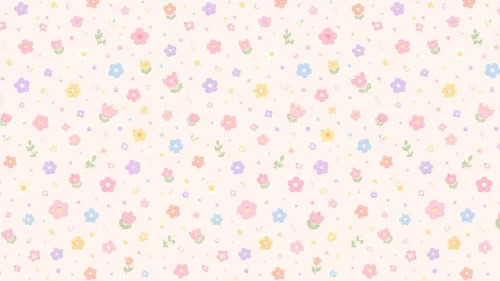

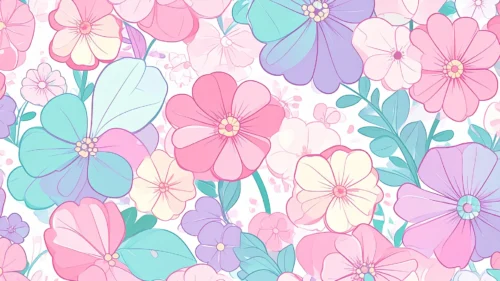


This background is for a slide that wants a full dose of illustrated charm from edge to edge. Line-drawn blossoms in pink, mint, lavender, and cream pack the entire frame, each petal outlined with a thin, hand-inked line and soft flat color. Free, HD, and watermark-free for Google Slides or PowerPoint.
What This Floral Pattern Background Looks Like
Large five-petal blooms overlap with smaller lavender-toned flowers and rounded mint leaves, each rendered with visible vein lines and a small cluster of stamens at the center.
There is no open background showing through; the flowers and leaves tile edge to edge in a dense, seamless-feeling pattern, closer to a fabric print than a scattered illustration.
Where This Background Fits
It suits cute or kawaii-themed decks, stationery and greeting card brand presentations, girls’ birthday content, and any slide or wallpaper that wants a fully decorated, pattern-filled look.
Design Choices Behind This Illustrated Blossom Pattern
I mixed three flower shapes and sizes instead of repeating one bloom, so the pattern reads as a natural garden rather than an obvious, mechanically repeated print.
Keeping every petal outlined in a consistent thin line, with flat pastel fills instead of shading, gives the whole pattern a clean, cheerful, sticker-like quality that stays legible even at a small scale.
How to Apply This Background in Google Slides
- Download and unzip the file, then open your Google Slides presentation.
- Go to Slide, then Change background.
- Click Choose image and upload the downloaded file.
- Click Done, or apply it from the master slide for a consistent look across the deck.
How to Apply This Background in PowerPoint
- Open your PowerPoint presentation and go to the Design tab.
- Click Format Background, then Picture or texture fill.
- Select Insert picture from a file and choose the downloaded image.
- Click Apply to All to use it on every slide.
Legibility Tip for This Background
Since the pattern covers the whole frame, place text inside a solid white or pastel card rather than directly over the flowers, so it stays easy to read.
FAQ
Is this floral pattern background free? Yes, it’s a free download with no watermark and no attribution required.
Does it work in PowerPoint? Yes, it’s a standard image file, so it applies the same way in both Google Slides and PowerPoint.
What resolution is the file? It’s full HD at 1920×1080, so it stays sharp on any screen or projector.
Can I use this as a wallpaper? Yes, the seamless-feeling floral pattern makes it a lovely desktop background too.
Features at a Glance
- Free HD 1920×1080 download, no watermark
- Hand-inked, line-drawn floral illustrations
- Dense, edge-to-edge blossom pattern
- Soft pink, mint, and lavender color palette
- Works in Google Slides, PowerPoint, and as a wallpaper
- Suited to cute, stationery, and celebration decks
Specs
- 1920 x 1080 px · 16:9 widescreen
- JPG, high quality, no compression artefacts
- PowerPoint · Google Slides · Keynote · Canva
- No watermark · no sign-up
- Free for personal and commercial use
You can use this Cheerful Pastel Floral Pattern Background For Google Slides as a Wallpaper or use it as a background for slides.
Looking for something different? Browse all our free PPT Backgrounds, or see how to set a background in PowerPoint and Google Slides.