You might also like:
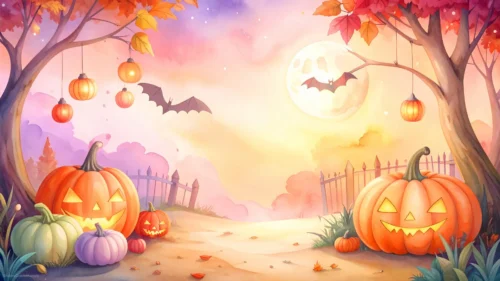
This autumn Halloween background for Google Slides arches twisted, vine-covered trees over a glowing golden forest path, lit by a warm sunset rather than a night sky.
Carved jack-o-lanterns hang from the branches and sit among fallen leaves at the base, while a few bats cross the glowing haze overhead.
What This Autumn Halloween Background Looks Like
Dense, gnarled trees frame both sides of the frame, their upper branches meeting overhead and dropping orange autumn leaves into the golden light beyond.
A warm, glowing sky fills the center, fading from bright gold near the horizon into a softer dusty blue at the edges, with faint clouds and drifting bats.
Carved pumpkins hang from the tree trunks and cluster on the ground beneath them, their faces glowing against the dim forest floor.
Where This Autumn Halloween Background For Google Slides Fits
- Halloween party invitations and countdown decks
- Autumn festival or harvest event slides
- Fantasy or fairy tale storytelling presentations
- A desktop wallpaper for anyone who loves a warm, golden autumn glow
Design Choices Behind This Sunset Forest
I lit this scene with a warm sunset instead of a moonlit night, which shifts the whole mood toward cozy autumn rather than a scarier midnight feel.
Framing the glowing sky with dense, arching trees on both sides creates a natural tunnel effect that pulls the eye straight toward the light.
Keeping the pumpkins low on the trunks and ground, rather than scattered through the sky, leaves the glowing center open enough to still work as a text backdrop despite all the surrounding detail.
How to Apply It in PowerPoint
- Go to Design > Format Background.
- Choose Picture or texture fill, then Insert from file.
- Click Apply to All to carry it across the whole deck.
How to Apply It in Google Slides
- Open Slide > Change background.
- Click Choose image and upload the downloaded file.
- Select Done, repeating on any other slides you want to match.
Legibility Tip for This Autumn Halloween Background
Keep your headline in the glowing golden center, using a dark brown or black font, since that’s the brightest, most even part of the frame.
Frequently Asked Questions
Is this autumn Halloween background free?
Yes, it’s a free download with no watermark and no account required.
Does it work in PowerPoint too?
Yes, it’s a standard image file, so it applies the same way in both Google Slides and PowerPoint.
What resolution is included?
1920×1080 px, HD 16:9, suited to slides and to a desktop or phone wallpaper.
Can I use it as a wallpaper?
Yes, the 16:9 ratio and warm glow make it a striking desktop wallpaper.
Features at a Glance
- HD 1920×1080 resolution, 16:9 ratio
- Free download, no watermark
- Golden sunset glow through an arching forest
- Hanging jack-o-lanterns and fallen autumn leaves
- Bats drifting through the glowing sky
- Works as a Google Slides background, PowerPoint background, or wallpaper
Specs
- 1920 x 1080 px · 16:9 widescreen
- JPG, high quality, no compression artefacts
- PowerPoint · Google Slides · Keynote · Canva
- No watermark · no sign-up
- Free for personal and commercial use
You can use this Golden Autumn Halloween Background For Google Slides as a Wallpaper or use it as a background for slides.
Looking for something different? Browse all our free PPT Backgrounds, or see how to set a background in PowerPoint and Google Slides.