You might also like:




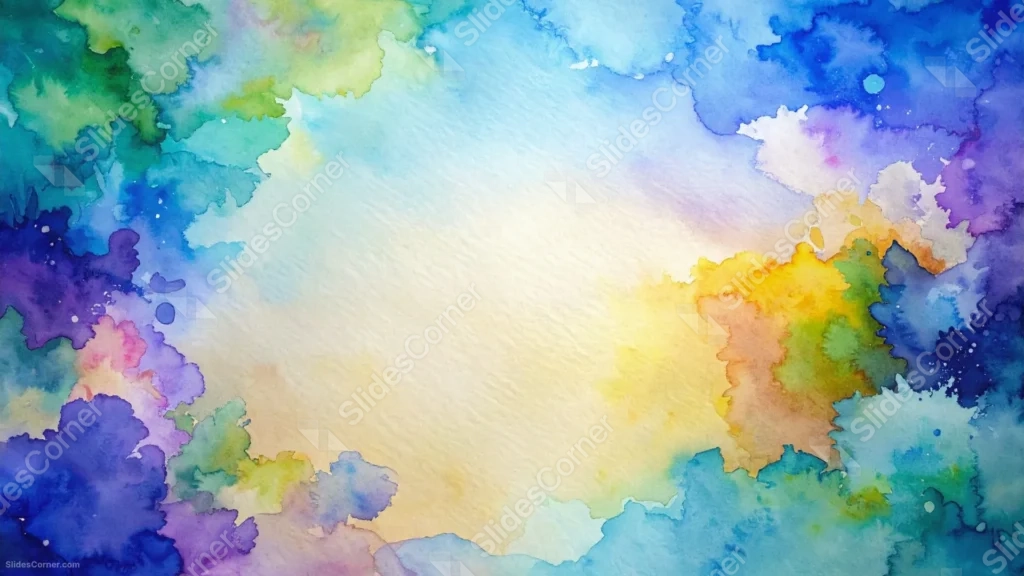
This watercolor background for Google Slides bleeds blue, green, purple, and warm yellow paint unevenly around all four edges, leaving a pale cream center untouched.
Cool tones dominate the left and top, while warm yellow and orange settle into the right side of the frame.
What This Watercolor Background Looks Like
Loose, irregular washes of paint spread in from every edge, blending green into blue, blue into purple, and pink into violet along the left side.
On the right, the palette turns warmer, with yellow and burnt orange pooling together against a scatter of teal and blue splashes.
The true center of the frame stays a soft, pale cream, with visible paper texture and only the faintest hint of color bleeding in from the sides.
Where This Watercolor Background For Google Slides Fits
- Art, design, or creative writing presentations
- Education or storytelling decks
- Portfolio or mood board slides
- Any title slide wanting a colorful, handmade feel
Design Choices Behind the Rainbow Paint Splash
I let the paint bleed unevenly along all four edges rather than framing just two sides, so the color reads as a natural wash instead of a designed border.
Keeping the true middle of the page nearly untouched, just a pale cream, keeps the busiest color transitions at the perimeter where they won’t fight with text.
I let cool colors dominate the left and top while warm yellow and orange settle into the right side, giving the piece a gentle temperature shift instead of one flat rainbow.
How to Apply It in PowerPoint
- Go to Design > Format Background.
- Choose Picture or texture fill, then Insert from file.
- Click Apply to All to use it across the whole deck.
How to Apply It in Google Slides
- Open Slide > Change background.
- Click Choose image and upload the downloaded file.
- Select Done, repeating on any other slides you want to match.
Legibility Tip for This Watercolor Background
Keep text in the pale cream center, using a dark charcoal or navy font so it reads clearly against the light background.
Frequently Asked Questions
Is this watercolor background free?
Yes, it’s a free download with no watermark and no account required.
Does it work in PowerPoint too?
Yes, it’s a standard image file, so it applies the same way in both Google Slides and PowerPoint.
What resolution is included?
1920×1080 px, HD 16:9, suited to slides and to a desktop or phone wallpaper.
Can I use it as a wallpaper?
Yes, the 16:9 ratio matches most laptop and desktop screens.
Features at a Glance
- HD 1920×1080 resolution, 16:9 ratio
- Free download, no watermark
- Multicolor watercolor wash on all four edges
- Cool-to-warm color shift from left to right
- Untouched pale cream center with visible paper texture
- Works as a Google Slides background, PowerPoint background, or wallpaper
Specs
- 1920 x 1080 px · 16:9 widescreen
- JPG, high quality, no compression artefacts
- PowerPoint · Google Slides · Keynote · Canva
- No watermark · no sign-up
- Free for personal and commercial use
You can use this Vivid Watercolor Background For Google Slides as a Wallpaper or use it as a background for slides.
Looking for something different? Browse all our free PPT Backgrounds, or see how to set a background in PowerPoint and Google Slides.