You might also like:



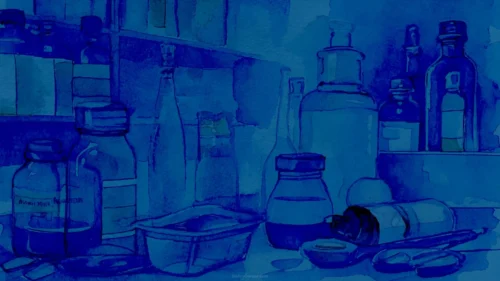


This blue medical health medicine bottle background is built around a single rendered object: a small glass vial with a brushed silver cap, filled with a clear blue liquid, sitting on a softly lit blue backdrop. It’s a product-photography approach applied to a slide background, one clean subject instead of a pattern or texture.
The vial sits off-center, shifted slightly right of the midpoint, which leaves a wide, genuinely empty field on the left for a title, a logo, or a paragraph of text. A soft shadow pools beneath it, grounding the object without adding any real detail to distract from it.
The background itself shifts gently from a deeper blue in the upper-left to a lighter, almost glowing tone in the lower-right, the kind of soft studio lighting you’d see behind an actual product photograph.
What This Blue Medical Health Medicine Bottle Background Suits
It fits pharmaceutical decks, clinical trial presentations, vaccine or medication launch slides, health tech pitches, and any content where a single, recognizable medical object needs to anchor the frame.
Because the vial reads as generic rather than branded, it works whether the topic is a specific drug, a vaccine program, or a broader conversation about medicine supply and healthcare logistics.
Design Choices Behind the Single-Object Composition
I kept the vial small relative to the frame and pushed it off-center on purpose. A large, centered product shot would compete with a title; a smaller, offset one reads as an accent instead of the main event.
The background blue sits near #7FCBEE in its lighter zones and deepens to around #3E9FD6 where the vial’s shadow falls. Keeping the object’s own blue liquid close to that same family, rather than introducing a contrasting color, is what makes the whole image feel like one considered scene instead of a stock photo pasted onto a gradient.
The soft, even studio lighting was also deliberate. Harsh highlights or hard shadows would have made the vial the obvious subject of the image; this softer treatment lets it sit quietly in the frame instead of demanding attention.
How to Apply It in PowerPoint
- Open your slide, go to Design > Format Background.
- Choose Picture or texture fill, then Insert from file and select the downloaded image.
- Click Apply to All for the whole deck, or use it on a single title or divider slide.
How to Apply It in Google Slides
- Open Slide > Change background.
- Click Choose image and upload the file from your computer.
- Select Done. Repeat on each slide you want to match, since Slides sets backgrounds one at a time.
Legibility Tip for This Medicine Bottle Background
Keep text on the left side of the frame, clear of the vial and its shadow. Dark navy or white text both read well there, since that side of the image stays in a mid-range blue with enough contrast for either.
Frequently Asked Questions
Is this blue medical health medicine bottle background free?
Yes, it’s a free download with no watermark and no account required.
Does it work in Google Slides?
Yes. It’s a standard image file, so it uploads and applies the same way it does in PowerPoint.
What resolution is included?
1920×1080 px, HD 16:9, suited to slides and to a desktop or phone wallpaper.
Is it specific to any one medication?
No. The vial is generic and unbranded, so it works for any medicine, vaccine, or pharmaceutical topic.
Features at a Glance
- HD 1920×1080 resolution, 16:9 ratio
- Free download, no watermark
- 3D rendered glass medicine vial with a silver cap
- Soft blue studio backdrop with gentle shadow and lighting
- Wide open left side for titles and text
- Works as a PowerPoint background, Google Slides background, or wallpaper
Specs
- 1920 x 1080 px · 16:9 widescreen
- JPG, high quality, no compression artefacts
- PowerPoint · Google Slides · Keynote · Canva
- No watermark · no sign-up
- Free for personal and commercial use
You can use this Minimal Blue Vial Background for Medicine PowerPoint Slides as a Wallpaper or use it as a background for slides.
Looking for something different? Browse all our free PPT Backgrounds, or see how to set a background in PowerPoint and Google Slides.