


Most popular professional backgrounds
Cute Flower PowerPoint Background with Pink Porcelain Blooms
Download
Free · HD
Cute Baby Blue Background For Google Slides With Pink Lace Trim
Download
Free · HD
Cute Boho Frame Background for Google Slides with Sage and Blush Blobs and Line Art Leaves
Download
Free · HD
Cute Notebook Background For Google Slides With Grid Paper
Download
Free · HD
Cute School PPT Background With A Dashed Grid Paper Frame
Download
Free · HD
Cute School Background For Google Slides Pastel Edition
Download
Free · HD
Cute Frame Background For Google Slides With Kawaii Doodles
Download
Free · HD
Cute Pastel Plaid Background For Google Slides With Gingham
Download
Free · HD
Cute School Background For PowerPoint With Grid Paper Corners
Download
Free · HD
Cute Pink Cat Paws & Hearts Border Background for Presentation Slide
Download
Free · HD

Cute Flower Background For Slides With Flat Leaf Borders
Download
Free · HD
Cute Frame Backgrounds for Google Slides
Cute Pink Birthday Frame Background For PowerPoint With A Scalloped Label, Cake And Gift Stacks
Download
Free · HD

Cute Rainbow School Frame Background For Google Slides With A Wavy Pink And Blue Clay Border
Download
Free · HD
Cute Birthday Frame Background For PowerPoint With A Cloud Center, Bunting And Gift Boxes
Download
Free · HD

Cute Nursery Frame Background For PowerPoint With A Blossom Branch Oval And Teddy Bear
Download
Free · HD

Cute School Cloud Frame Background For Google Slides With Kawaii Pencil And Backpack
Download
Free · HD
Cute Scrapbook Frame Background For Google Slides With A Teddy Bear And Stitched Cream Center
Download
Free · HD
Cute Frame Background For PowerPoint With A Boho Cat In A Box
Download
Free · HD

Cute School & Classroom Backgrounds
Cute Science Background for Google Slides with Peach Watercolor, Microscope, DNA and Flowers
Download
Free · HD
Cute Pink School Frame Background for Google Slides with Purple Border, Pencil and Stars
Download
Free · HD


Baby Shower Boy Background for Google Slides with Teddy and Toy Car
Download
Free · HD

Cute Birthday Teddy Background for Slides with Coral Scalloped Card
Download
Free · HD

Cute Spring Slide Backgrounds with Smiling Sun and Meadow Path
Download
Free · HD

Honey Bee Notebook Background for Google Slides with Lavender, Daisies and a Cream Grid Page
Download
Free · HD
Cute Pastel Backgrounds
Pastel Rainbow Landscape Background for Slides with Fluffy Clouds, a River and Flower Banks
Download
Free · HD

Cute Pink School Frame Background for Google Slides with Purple Border, Pencil and Stars
Download
Free · HD
Cute Birthday Teddy Background for Slides with Coral Scalloped Card
Download
Free · HD
Cute Fairytale Frame Background for Google Slides with a Pastel Castle, Teddy Bear, Balloons and Bunting
Download
Free · HD
Underwater Ocean Background for Google Slides with Watercolor Jellyfish, Coral, a Seahorse and Sun Rays
Download
Free · HD
Unicorn Rainbow Background for Google Slides with a Watercolor Arch, Gold Glitter Hearts and a Clear White Base
Download
Free · HD
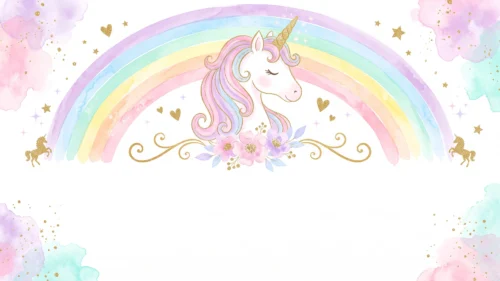
Pastel Rainbow Slide Background with a Lilac to Cream Gradient Sky, White Clouds and Sparkles
Download
Free · HD

Cute Floral Pattern Background for Slides with Big Outlined Pink Blooms, Mint Leaves and Lilac Haze
Download
Free · HD
Unicorn Background for Slides with a White Unicorn, Rainbow Mane and Peach Aqua Haze
Download
Free · HD

Cute Floral Backgrounds
Cute Floral Pattern Background for Slides with Big Outlined Pink Blooms, Mint Leaves and Lilac Haze
Download
Free · HD
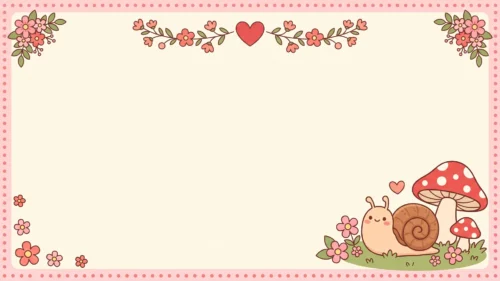
Cute Mushroom Frame Background for Google Slides with a Smiling Snail, Flower Garland and a Pink Dotted Border
Download
Free · HD
Orange Background for PowerPoint in Flat Tangerine with Hand-Drawn Outline Flowers in Two Corners
Download
Free · HD

Cute Floral Border Background for Google Slides with Hand-Drawn Ink Flowers and a Wavy Heart Line
Download
Free · HD
Floral Notebook Frame Background for PowerPoint with Roses
Download
Free · HD
Cute Floral Border Background for PowerPoint with Pink Daisies
Download
Free · HD
Cute Floral Plaid Background for Google Slides in Beige Gingham
Download
Free · HD
Light Blue Daisy Background for PowerPoint with Corner Bloom
Download
Free · HD

Cute Tiny Flowers Pattern Background for Google Slides
Download
Free · HD
Cute Floral Frame Background for PowerPoint with Boho Blob Edges
Download
Free · HD
Cute Kids & Kawaii Backgrounds
Cute Pink School Frame Background for Google Slides with Purple Border, Pencil and Stars
Download
Free · HD
Baby Shower Boy Background for Google Slides with Teddy and Toy Car
Download
Free · HD
Cute Birthday Teddy Background for Slides with Coral Scalloped Card
Download
Free · HD
Cute Spring Slide Backgrounds with Smiling Sun and Meadow Path
Download
Free · HD
Cute Fairytale Frame Background for Google Slides with a Pastel Castle, Teddy Bear, Balloons and Bunting
Download
Free · HD
Underwater Ocean Background for Google Slides with Watercolor Jellyfish, Coral, a Seahorse and Sun Rays
Download
Free · HD
Unicorn Rainbow Background for Google Slides with a Watercolor Arch, Gold Glitter Hearts and a Clear White Base
Download
Free · HD